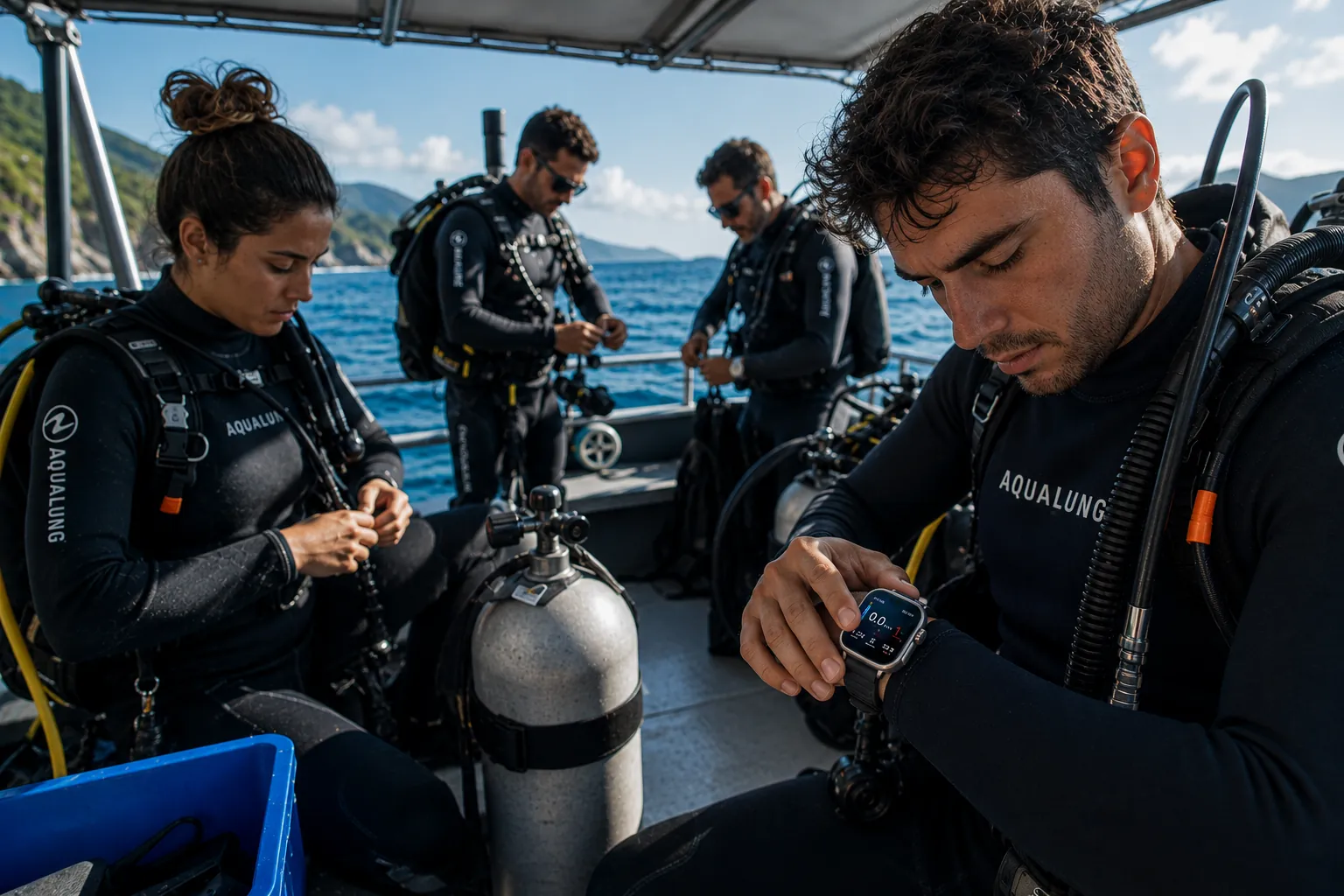
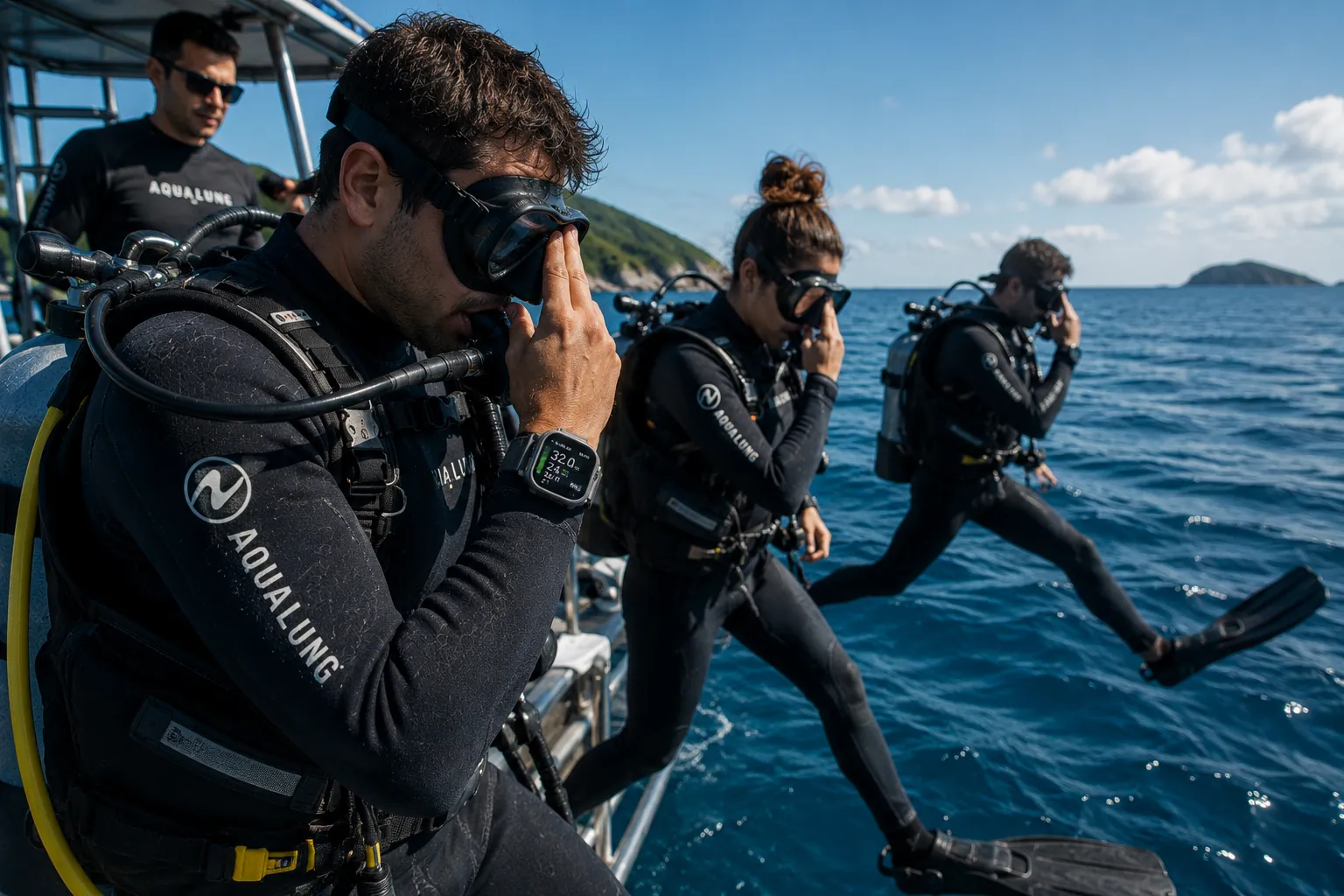
Coming soon · For certified divers
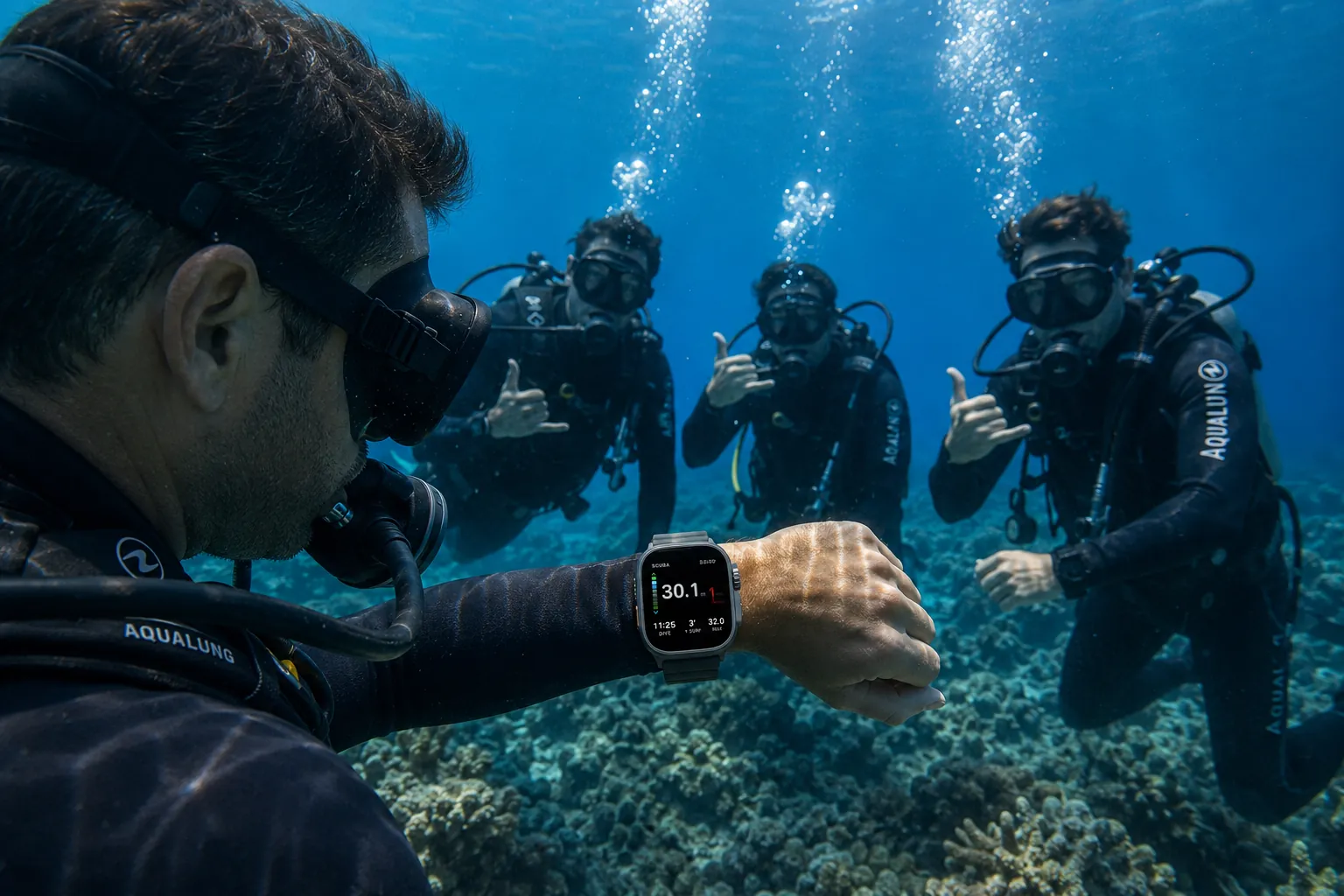
Depth, no-stop time, deco stops and ascent alarms — oversized and readable in a blink while the touchscreen's locked underwater. Surface, and every dive syncs to a full logbook, deco planner and safety kit on your iPhone.
See how it works ↓The in-water display
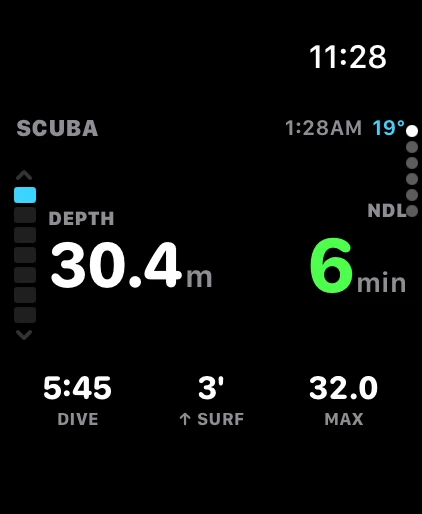
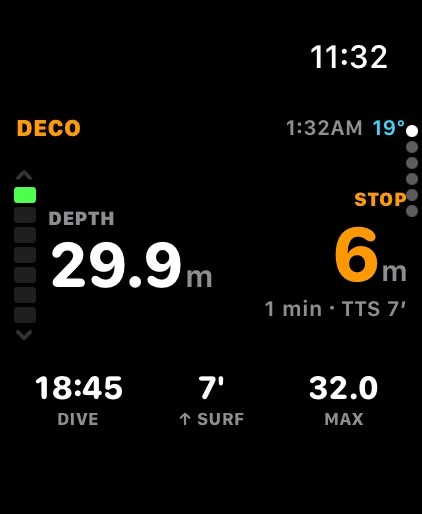
Underwater, the touchscreen locks — so the screen has to think for you. Oceanograph shows the two numbers you read together, how deep you are and how long you can stay, as equal oversized heroes, with the ascent-rate bar always down the edge. No squinting. No scrolling for the number that keeps you safe.
NDL is green with headroom, amber as it shrinks, red when you are nearly out — you feel the change before you read it.
When you owe a stop, the ceiling depth and time become as large as your depth, with total time-to-surface beneath.
A persistent variometer down the edge — green within limits, amber, then red — plus a haptic pulse if you rise too fast.
Arrives automatically in the 5-metre band, holds and pauses with your depth, and buzzes when it is complete.
Your logbook, on iPhone
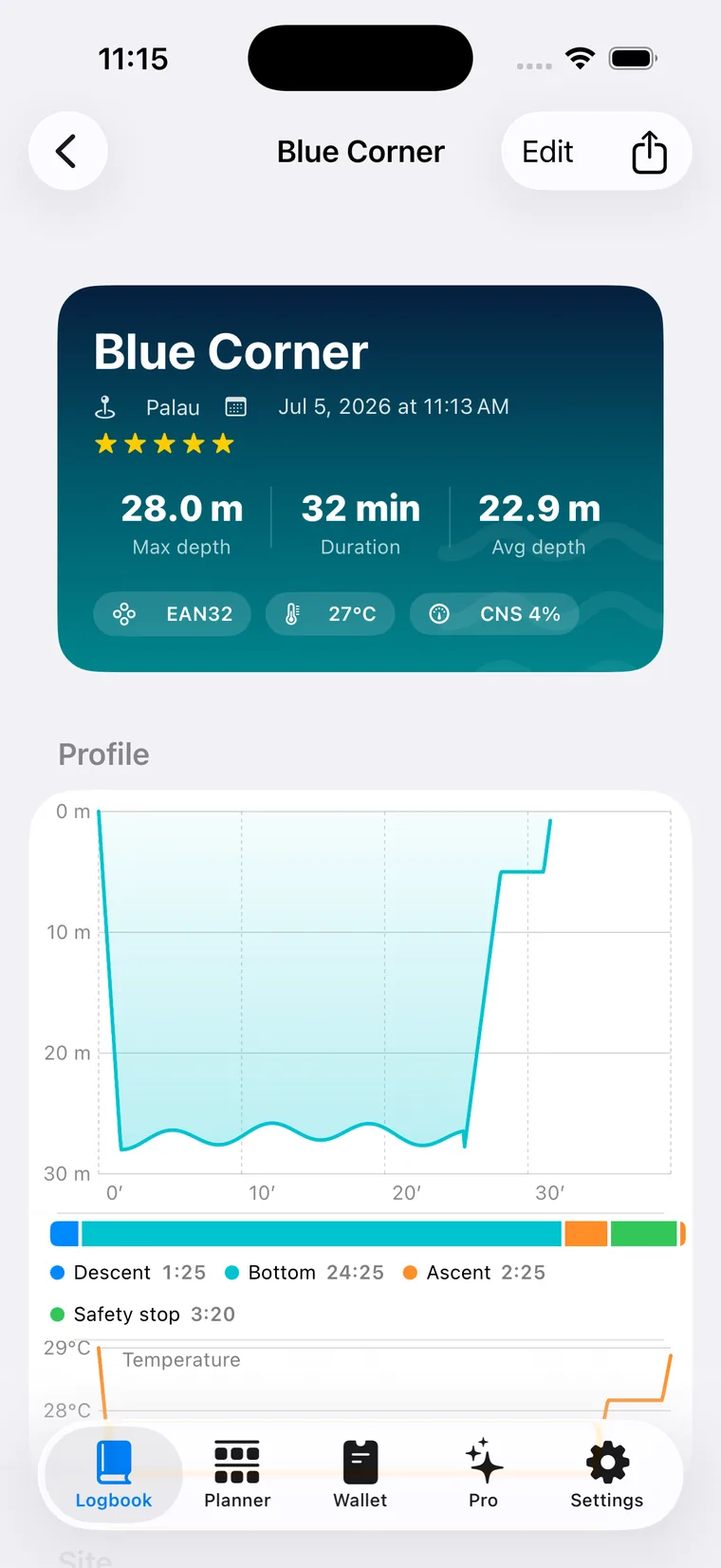
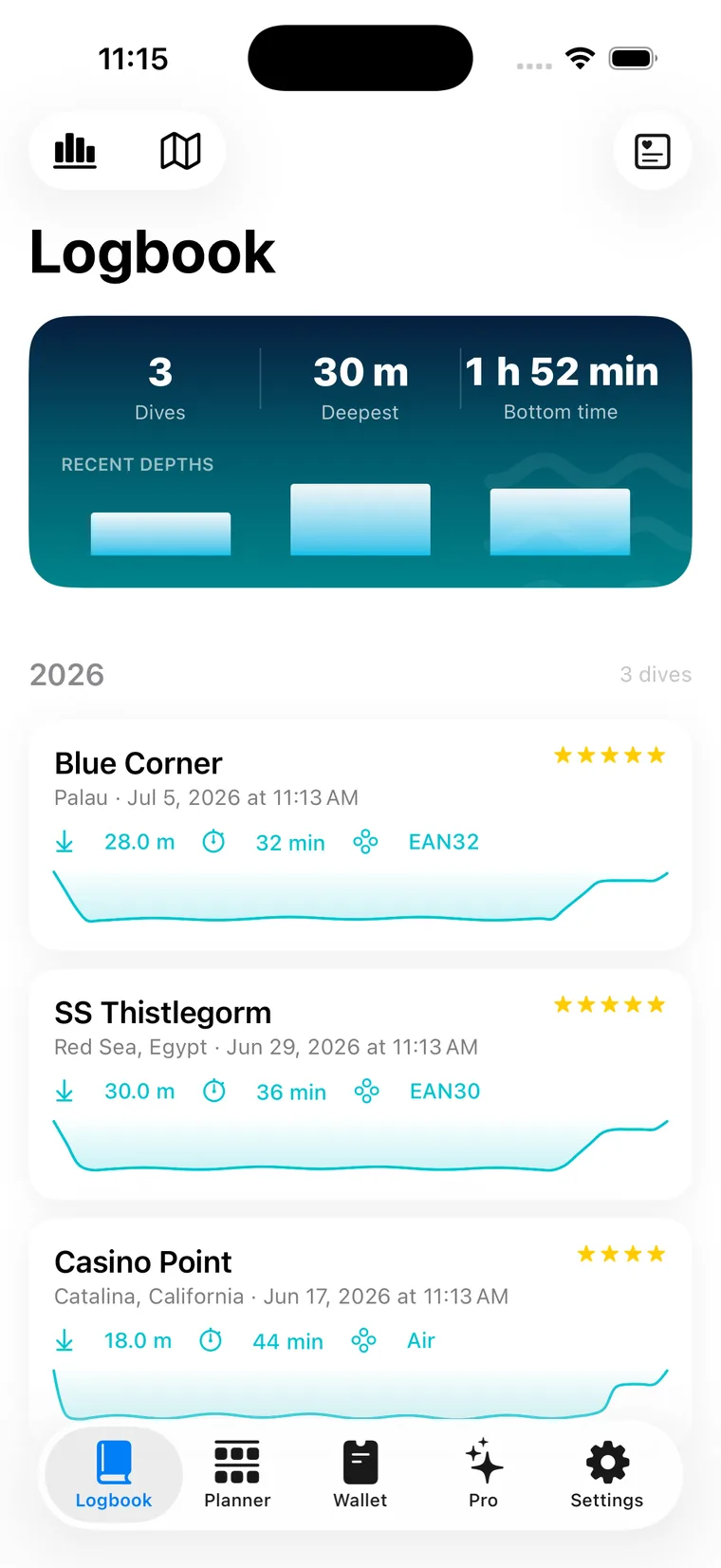
No scribbling in a wet paper log on a rocking boat. The moment you surface, your dive syncs to a logbook that actually looks like one — every entry a card with its own depth profile, grouped by year, with the site, gas and conditions that made the dive.
Scrub the full depth-and-temperature curve, with descent, bottom, ascent and safety-stop phases marked.
GPS entry and exit points on a map, buddies, dive centres, species, photos and star ratings.
Import your entire history from Apple Health — even dives recorded with other apps — and export UDDF or CSV. No lock-in.

The season at a glance
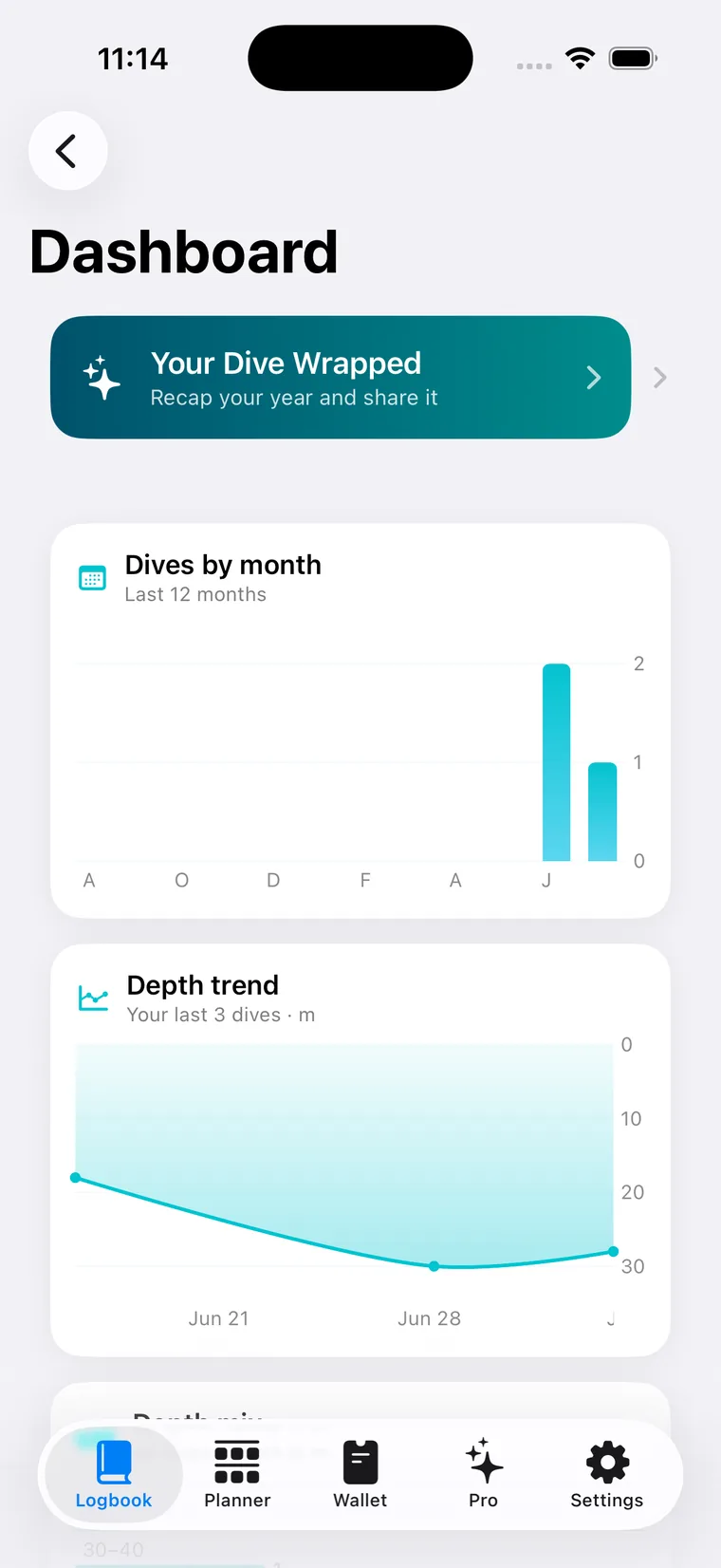
A dashboard that turns a season of dives into something you actually want to open — depth trends drawn like a profile, dives by month, your depth mix, temperature against depth, and a yearly recap worth sharing.
Deepest, longest, coldest, bottom time, sites and regions — tallied automatically.
An automatic read of each dive — ascent discipline, safety-stop quality, thermal exposure — computed privately, free.

Plan it. Prove it. Dive it.
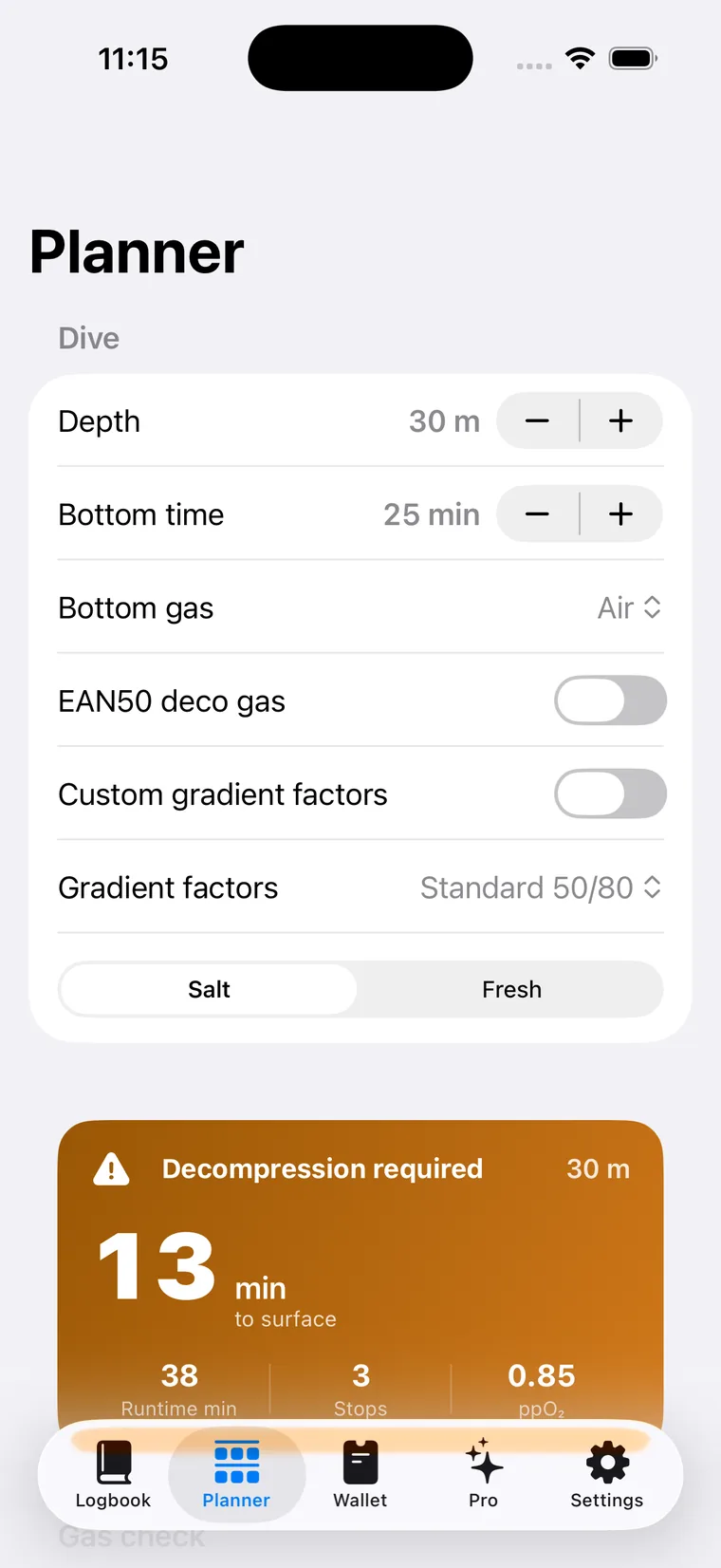
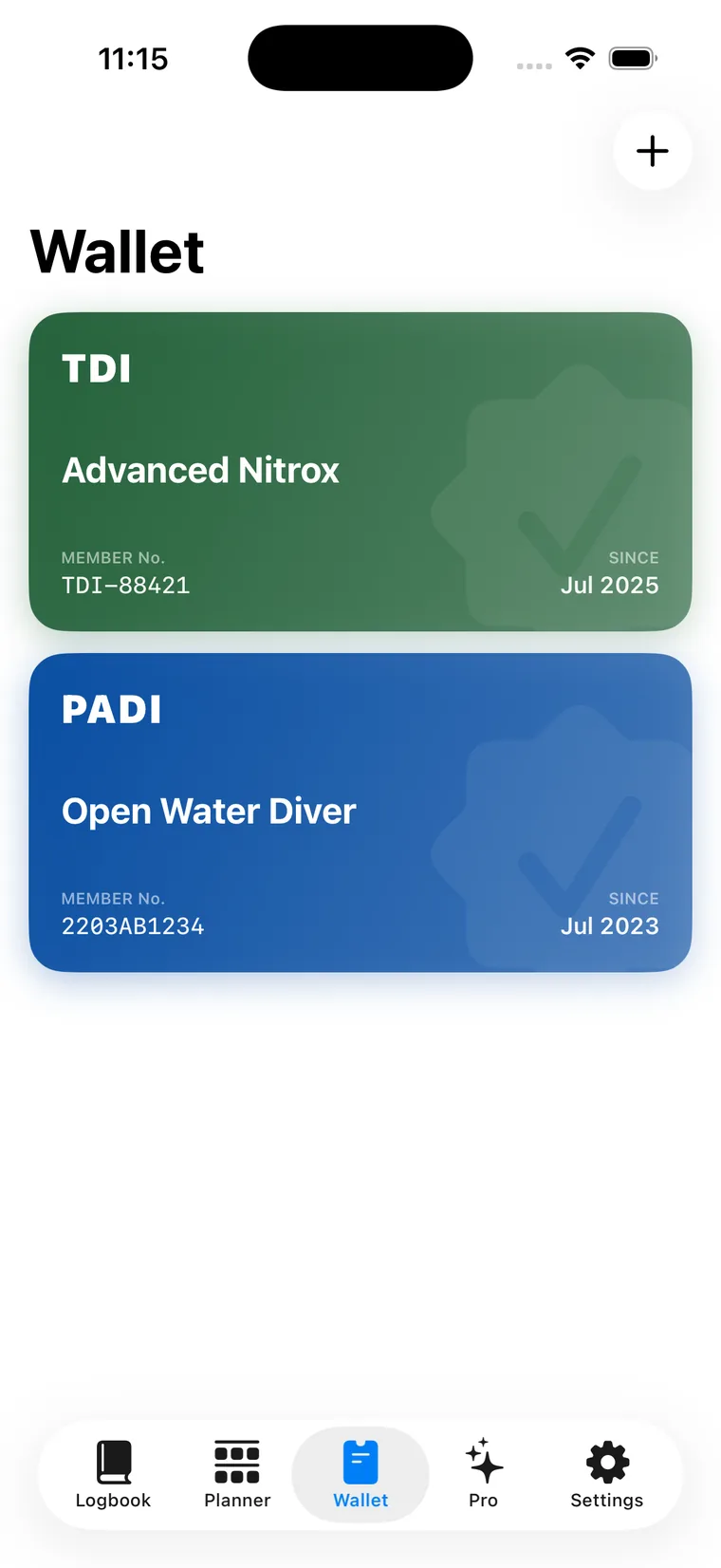
Plan the whole dive with a full multi-gas deco planner. Carry your certs in a wallet that looks like the real cards. And reach for every safety tool exactly where you'd expect it.


In the water
A real dive computer, a full logbook and planner, and every safety tool a diver reaches for — on the wrist you already wear.
Why Oceanograph
Most dive apps stop at single-gas no-stop diving and lock your logbook behind a yearly fee. Oceanograph gives you the deco engine, the planning and the open data that serious divers expect.
| Feature | Oceanograph | Typical subscription app |
|---|---|---|
| Live dive computer on Apple Watch Ultra | ||
| Multi-gas & trimix decompression | Single gas | |
| Gradient factors you set yourself | — | |
| 16-compartment tissue view & SurfGF | — | |
| Full multi-gas deco planner | No-stop only | |
| Import every past dive from Apple Health | — | |
| Open export — UDDF & CSV, no lock-in | — | |
| How you pay | Free log · Pro from $0.99 | Subscription only |
Comparison reflects common single-gas, subscription-only dive apps for Apple Watch Ultra. Feature sets change; check each app's current details.
Pricing
Everything runs through Apple — no separate account, nothing harvested, cancel anytime. One week free.
$0
$79.99/year · $9.99/mo
Subscribe for $79.99 a year or $9.99 a month (one-week free trial), or grab a pass for a single trip — from $0.99. The logbook and the on-device dive debrief are free for everyone, forever.
Questions
Any Apple Watch Ultra — generation 1, 2 or 3. Every Ultra has the same EN13319-certified depth gauge and water-temperature sensor to 40 m, so the dive computer runs identically on all of them. The logbook, planner and Apple Health import also work on iPhone on their own.
Oceanograph is a precision instrument, not a substitute for training or for a backup. Decompression models are statistical — no computer removes the risk of decompression sickness. Dive within the limits of your certification, always carry a redundant computer or tables, and treat every number as guidance, not a guarantee.
Yes. Oceanograph reconstructs every dive your Apple Watch has ever recorded from Apple Health — including dives logged with other apps — so your logbook is full from the first launch. You can also export everything as UDDF or CSV at any time. No lock-in.
The logbook, Apple Health import, dashboard and on-device dive debrief are free forever. When you want the live computer and planner for a single trip, a Day Pass is $0.99 and a Week Pass is $4.99 — no subscription required. Divers who go often can subscribe at $79.99/year or $9.99/month with a one-week free trial.
No. Everything runs on your iPhone and Apple Watch, and purchases go through Apple — there's no separate account to create and nothing is harvested. Your dives sync privately through your own iCloud.
Oceanograph is built by Emouna LLC. Questions or feedback are always welcome at [email protected].
Precision you can verify
Oceanograph runs the published Bühlmann ZH-L16C model with gradient factors, integrated with the exact Schreiner solution — the same class of engine as Shearwater and the Subsurface planner. Every coefficient is locked, and every result is checked against reference values on every build.
Safety first, always
Oceanograph is launching soon. Leave your email and we'll tell you the moment it's on the App Store — no spam, just the launch.